

Hotspot Station
Turn a spare 5G phone into an always-on router.
Hotspot Station is a single-purpose home launcher for rooted Android. Drop in a data SIM, set it as the home app, and the phone becomes a self-healing Wi-Fi hotspot - auto-starting on boot, restarting itself if the hotspot drops, and refreshing the connection every hour.
Screenshots
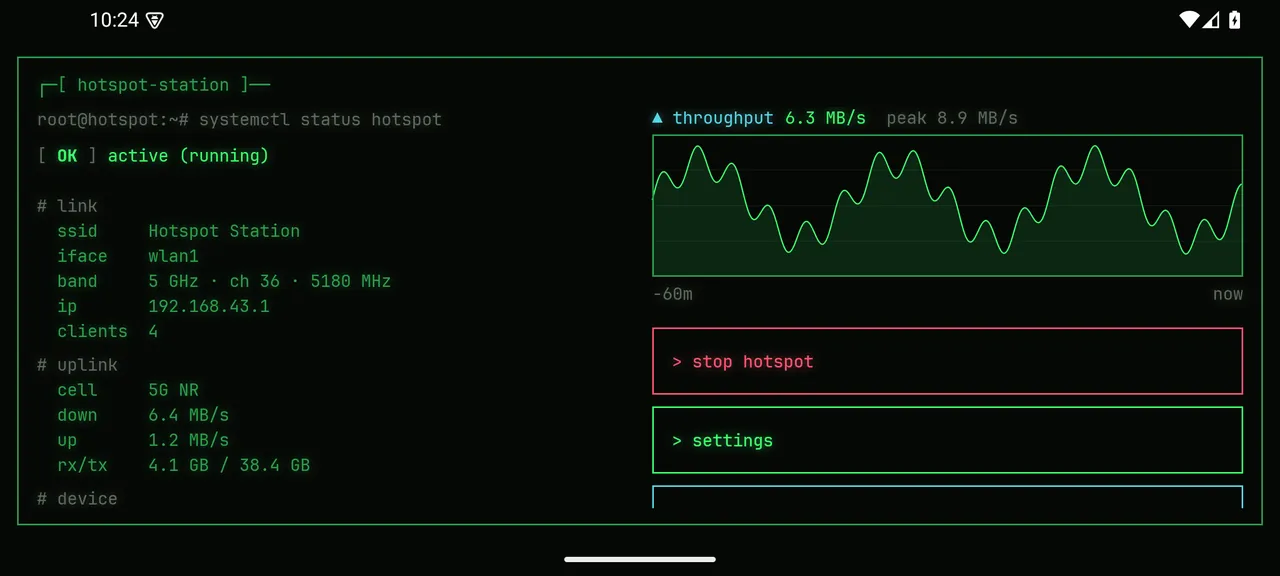
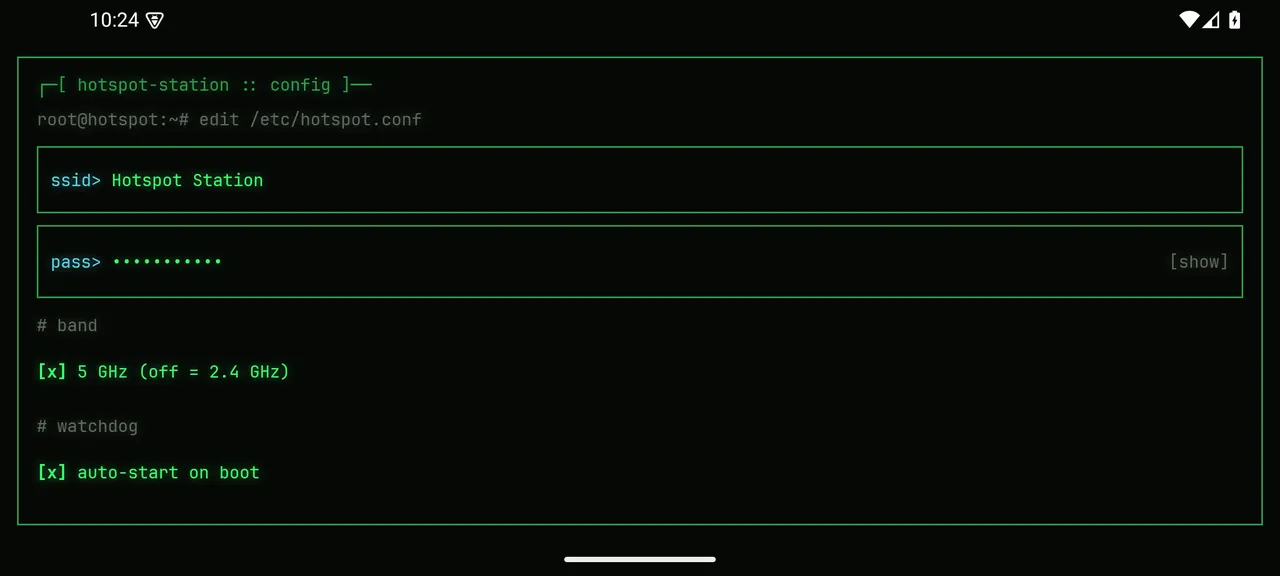
What Hotspot Station does
- Auto-starts the hotspot on boot - no taps needed
- Watchdog restarts the hotspot instantly if it drops
- Hourly session reset clears cache and network drift
- Live dashboard - connected clients, signal, 5G/LTE, uptime
- Data usage tracking with an optional cap and alert
- 5G-preferred network mode on supported devices
- Kiosk mode locks the phone to a single purpose, PIN to exit
How to install
- 1. Tap Download APK above on the phone you want to use.
- 2. When Android asks, allow your browser to install unknown apps.
- 3. Open the downloaded file and tap Install.
- 4. Launch it and press the home button - choose Hotspot Station as your launcher.
- 5. Grant the superuser (root) request from Magisk / KernelSU.
- 6. Set your SSID and password in Settings - you are live.
Free, no Premium
- Every feature on this page is free - there is no Premium tier and nothing to buy
- No ads anywhere in the app
- No account or sign-in
Requirements and limits
- A rooted Android phone - Magisk or KernelSU. Without root the app cannot start the hotspot
- Android 10 or newer
- A SIM with mobile data - the phone shares that connection over Wi-Fi
- 5G-preferred network mode works only on phones and carriers that support it
- Direct APK only - not on Google Play, so new builds come from this page
- Built to run as the phone's home launcher, so it suits a spare phone rather than your daily one
What data it sends
- Anonymous usage events - app opened, settings opened, hotspot start or stop requested, feedback prompt shown or answered - with a random install ID
- Crash reports with the app version and error details, so bugs can be fixed
- An update check that reads this page's version file
- Your network name, hotspot password, kiosk PIN, connected clients and data usage never leave the phone
What is new
- - Build 2026.10.27 (4939) published; the direct download works again after the APK went missing from the site.
- - This page now lists requirements, limits and the data the app sends.
- - Landscape screenshots of the dashboard added to this page.
- - Build 2026.07.28 (4808) published as the current APK.
Common questions
Why is Hotspot Station not on the Play Store?
It needs root to control the hotspot and cellular radio, which Google Play does not permit. It is distributed only as a direct APK download.
Does Hotspot Station require a rooted phone?
Yes. Root (Magisk or KernelSU) is required. On first launch the app asks for superuser access; without it the app cannot run.
What does the hourly reset do?
Once an hour (configurable) the app fully cycles the session - stops the hotspot, refreshes the cellular data connection, and restarts the hotspot - to clear cache buildup and network drift on long-running sessions.
Is the 5G part the Wi-Fi or the internet?
The phone receives 5G cellular as its internet backhaul and rebroadcasts it as a normal 2.4 / 5 GHz Wi-Fi hotspot. Hotspot Station can also force a 5G-preferred network mode on supported devices.
How do I install an APK?
Download the APK, allow your browser to install unknown apps when Android prompts, and tap Install. Full steps are in the section above.
Is Hotspot Station free?
Yes. Hotspot Station is free, has no Premium tier and shows no ads. The APK is a direct download from this page.
What data does Hotspot Station send?
No account and no personal details. The app sends anonymous usage events (app opened, settings opened, hotspot start or stop requested, feedback prompt shown or answered) with a random install ID to api.trei.dev, sends crash reports with the app version and error details to api.trei.dev, and reads trei.dev/hotspot/version.json to check for a new build. Your network name, hotspot password, kiosk PIN, connected clients and data usage stay on the phone.